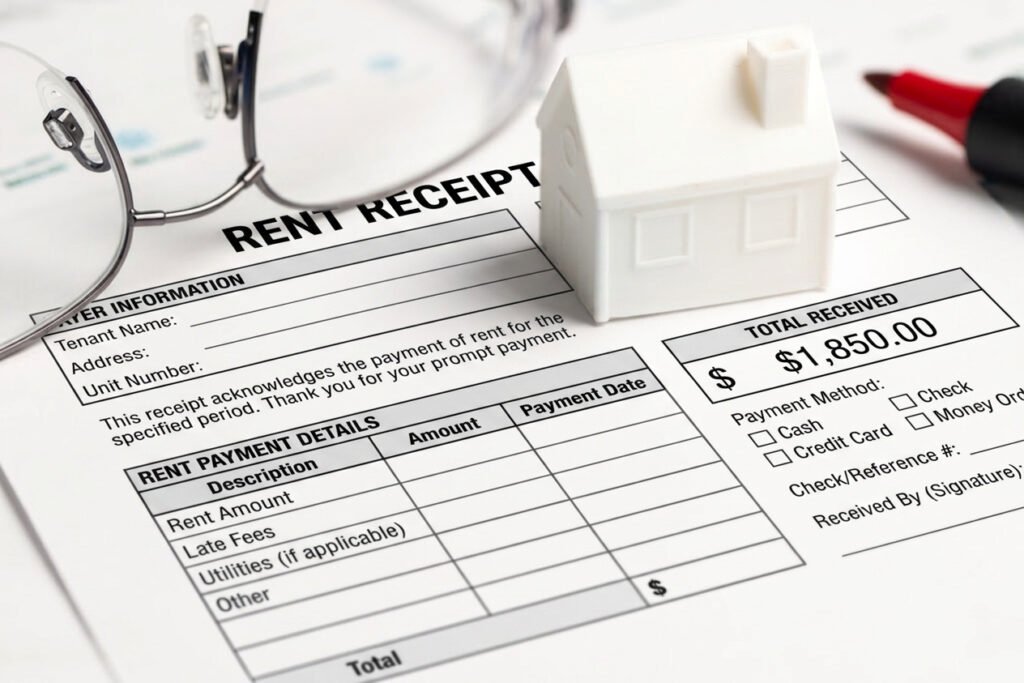
Every month, you collect rent. And every month, you need a receipt. If you’ve been handwriting receipts or hunting for a PDF you can actually type into, you already know the problem: most templates aren’t truly fillable, and the ones that are require software most landlords don’t have.
You don’t need Adobe Acrobat. You don’t need to download anything. FreeRentReceipt.com lets you fill in your tenant’s details, generate a professional rent receipt, and download it as a PDF — in under 60 seconds, on any device. Skip the PDF entirely — generate your free rent receipt at FreeRentReceipt.com.
This post covers what a fillable rent receipt template is, what it needs to include, and why a free online generator is a better long-term solution than a static PDF.
This article is for informational purposes only and does not constitute legal or tax advice. Laws vary by state. Consult a qualified attorney or tax professional for advice specific to your situation.
What Is a Fillable Rent Receipt Template?
A fillable rent receipt template is a document — typically a PDF or Word file — with blank fields you can type directly into rather than writing by hand. Instead of printing a blank form and filling it with a pen, you open the file on your computer or phone, click into each field, type your information, and save or print the completed receipt.
The appeal is obvious: it’s faster, legible, and produces a more professional-looking document. But “fillable” means different things depending on the format. A fillable PDF uses embedded form fields that require a compatible PDF viewer to work properly. A Word document can be typed into, but the formatting often shifts when you do. A web-based generator, on the other hand, gives you a clean form every time — no file management, no software requirements, no formatting surprises.
What to Include in a Fillable Rent Receipt
Whether you’re using a PDF template or a generator, every rent receipt needs the same core information to be valid and useful:
- Tenant’s full name — who made the payment
- Property address — the rental unit the payment applies to
- Payment amount — written out in full (e.g., $1,250.00)
- Payment date — the date rent was received, not the due date
- Payment method — cash, check, money order, electronic transfer, etc.
- Rental period covered — the month or dates the payment covers (e.g., June 1–June 30)
- Landlord’s name and signature — confirms receipt on your end
- Receipt number — optional but useful for your own recordkeeping
If payment was made by check, noting the check number adds an extra layer of documentation. For cash payments especially, a detailed receipt is the only paper trail either party has — don’t skip it.
For a deeper look at required fields, see our guide to what to include on a rent receipt.
Free Fillable Rent Receipt Template (PDF and Word)
If you’d prefer to work from a static file, there are two common formats:
Fillable PDF: A PDF with form fields you can type into using Adobe Acrobat, Preview (Mac), or a browser-based PDF viewer. The issue is that field behavior varies by viewer — what fills cleanly in one app may not save correctly in another. See the rent receipt PDF download guide for more on managing PDF receipts.
Word template: A .docx file you type into like a regular document. Easier to edit, but the layout can shift if you type more or less than the template expects. If you go this route, see our free rent receipt template in Word for a download-ready version.
For either format, you’ll need to store the file, retrieve it each month, fill it out, and save it again — which adds up to more file management than most landlords want to deal with.
How to Fill Out a Rent Receipt Template Step by Step
If you’re using a fillable PDF or Word template, here’s the basic workflow:
- Open the file in your PDF viewer or Word processor
- Click into each field and type the relevant information
- Double-check the payment amount and date — these are the fields most likely to cause disputes later
- Save a copy with a clear file name (e.g.,
Smith-June2026-Receipt.pdf) - Send or print — email a copy to the tenant and keep one for your own records
The process works, but it requires discipline to do consistently. The file has to be in the right place, the software has to cooperate, and you have to remember to save a copy every single time.
Why a Generator Is Better Than a Fillable PDF
Here’s the honest comparison. A fillable PDF template has three recurring friction points that a web-based generator eliminates entirely.
Problem 1: You need the right software. Most fillable PDFs require Adobe Acrobat to function properly. Free PDF viewers — including most mobile apps — may display the form but won’t save your entries. That means you either pay for Acrobat, deal with incomplete saves, or revert to printing and handwriting anyway.
Problem 2: Fields don’t always save correctly across devices. Even if you fill out a PDF on your laptop, opening it on a phone or tablet can display blank fields, shifted text, or missing data. Form field compatibility is inconsistent across operating systems and viewers.
Problem 3: You have to maintain the file. A static template sits on one device. If you switch phones, reformat a computer, or lose access to that folder, the template is gone. You have to find it again, re-download it, and start over.
A generator like FreeRentReceipt.com has none of these problems. You open a browser, fill in the form, and download a clean, formatted PDF — every time, on any device, without software. The rent receipt PDF output is consistent and ready to send or print immediately.
Try the free generator now — fill in your details, download as PDF, done. Generate Your Free Rent Receipt →
How to Save and Send Your Completed Rent Receipt
Once you’ve filled out your receipt — whether from a template or a generator — here’s how to handle the final step:
Saving: Download the completed PDF and rename it with a consistent convention, such as TenantLastName-Month-Year-Receipt.pdf. Store it in a folder organized by property or tenant. If you use cloud storage (Google Drive, Dropbox, iCloud), keep a copy there so it’s accessible from any device.
Sending to your tenant: Email is the most reliable delivery method. Attach the PDF and keep the confirmation email as proof of delivery. Some landlords also text a PDF link for convenience, but email creates a better paper trail.
Printed copies: If your tenant pays in cash or prefers paper, print two copies — one for them, one for your files. Sign both before handing one over.
Recordkeeping note: The IRS recommends keeping rental income records for at least three years from the date you file the return that includes that income. See IRS Publication 583 for recordkeeping guidance for small business and rental property owners.
For more rental management advice, browse our Landlord Tips category. For receipt templates, documentation help, and proof-of-payment guidance, explore our Rent Receipts category.
A fillable template works once. A free generator works every month, on any device, in under a minute. Start with the free rent receipt template if you want a one-time download — or go straight to FreeRentReceipt.com to generate and download your receipt right now.
FAQs: Fillable Rent Receipt Templates
What is a fillable rent receipt template? A fillable rent receipt template is a document — usually a PDF or Word file — with interactive fields you can type into on your computer or phone, rather than writing by hand. It gives you a consistent, professional-looking receipt without starting from scratch each month.
Can I fill out a rent receipt on my phone? Yes, if you use a web-based generator like FreeRentReceipt.com. The tool works in any mobile browser — no app download needed. Fillable PDFs, on the other hand, often don’t save correctly on mobile because most phone PDF apps don’t support form fields the same way desktop apps do.
What is the difference between a fillable PDF and a rent receipt generator? A fillable PDF is a static file you download and type into using a PDF editor. A generator is a web-based tool that creates a fresh, formatted receipt each time you fill in the form. Generators don’t require software, don’t have file compatibility issues, and are accessible from any device with a browser.
Do I need Adobe Acrobat to fill out a rent receipt PDF? For most fillable PDFs, yes — or at least a compatible PDF viewer that supports form fields and saves entries. Without the right software, your typed entries may not save when you close the file. A web-based generator avoids this problem entirely, since you download a completed, non-editable PDF at the end.
Can I email a fillable rent receipt to my tenant? Yes. Once you’ve completed and downloaded the receipt as a PDF, you can attach it to an email and send it directly. Keep the sent email as a delivery record. If you’re using FreeRentReceipt.com, the downloaded PDF is a clean, ready-to-send file — no additional formatting or software required.
Is a fillable rent receipt template legally valid? Yes, provided it includes all the required information: tenant name, property address, payment amount, payment date, payment method, rental period, and landlord signature. The format — PDF, Word, or generated — doesn’t affect legal validity. For state-specific requirements, Nolo’s landlord-tenant law guides are a useful reference.
