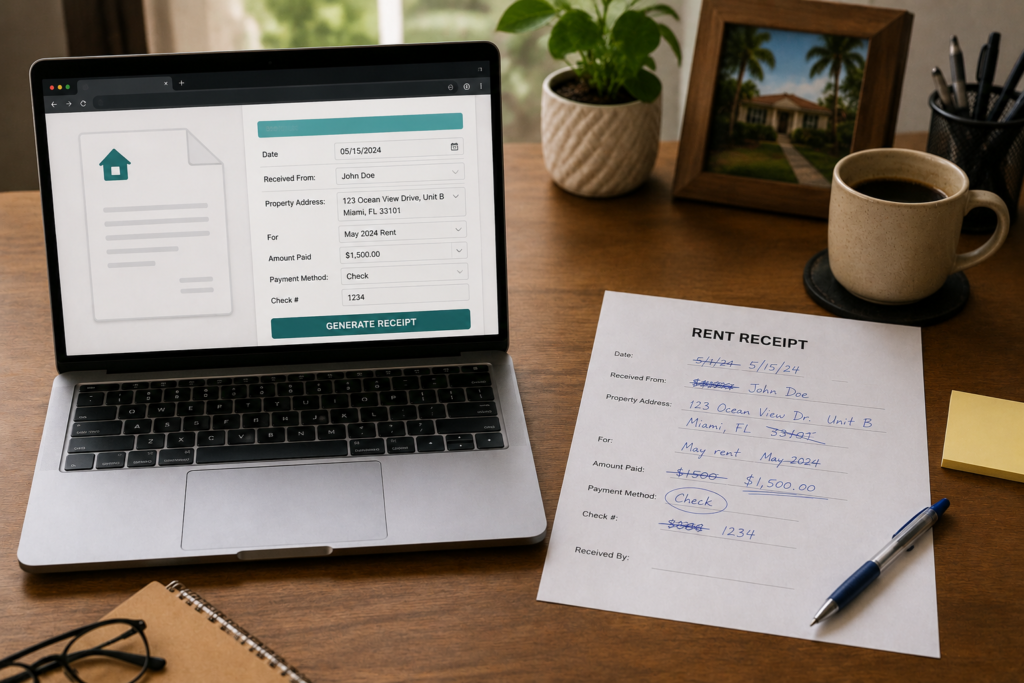
If you’ve been searching for a rent receipt template Word, you’ve probably already opened Microsoft Word, poked around, and come up empty — or found a generic template that’s missing half the fields you actually need.
Here’s the truth: Word templates work fine, but they’re more work than most landlords realize. You have to download the file, fill it in every month, save a copy, and hope you didn’t accidentally overwrite last month’s version. For landlords with one or two units, that’s manageable. For anyone trying to stay organized across multiple tenants, it gets messy fast.
This post walks you through exactly what fields a proper rent receipt needs, how to set up a Word template the right way, and why most small landlords end up skipping the download entirely in favor of a free online generator.
What Should a Rent Receipt Template Include?
Whether you’re building your own in Word or downloading one, every rent receipt needs the same core fields. Missing even one of them can create headaches if a tenant ever disputes a payment or you need the record for taxes.
Here’s what a complete rent receipt must have:
- Receipt date — the date you’re issuing the receipt, not necessarily the date rent was due
- Tenant’s full name — exactly as it appears on the lease
- Rental property address — including unit number if applicable
- Payment amount — the exact dollar amount received
- Payment method — cash, check, money order, bank transfer, Venmo, etc.
- Period covered — e.g., “June 1–June 30, 2025”
- Landlord’s name and signature — confirms you received the funds
- Receipt number — optional but highly recommended for your own recordkeeping
That’s eight fields. A basic Word template can hold all of them — but you have to make sure they’re all there before you start using it. Many free templates floating around online are missing the payment period, receipt number, or landlord signature line.
Disclaimer: This post is for general informational purposes only and does not constitute legal advice. Rent receipt requirements vary by state. Consult a licensed attorney or your local housing authority for guidance specific to your situation.
How to Set Up a Rent Receipt Template Word
If you want to build your own Word template from scratch, here’s a simple approach that keeps things clean and easy to reuse.
Step 1: Open a Blank Document and Set Your Layout
Open Word and create a new blank document. Set your margins to 1 inch on all sides and use a legible font like Arial or Calibri at 11–12pt. Add your business name or “Rental Receipt” as a bolded header at the top.
Step 2: Create a Simple Table for the Fields
A two-column table works well: label on the left, fillable space on the right. Something like:
| Field | Details |
|---|---|
| Receipt Date | _________________ |
| Tenant Name | _________________ |
| Property Address | _________________ |
| Payment Amount | $________________ |
| Payment Method | _________________ |
| Period Covered | _________________ |
| Landlord Signature | _________________ |
| Receipt # | _________________ |
Keep it on one page. Landlords and tenants don’t need a three-page document for a monthly rent receipt.
Step 3: Save It as a Word Template (.dotx)
This is the step most people skip. Go to File → Save As → Word Template (.dotx). This way, every time you open it, you get a clean copy instead of overwriting your last receipt. Name it something like Rent-Receipt-Template-2025.dotx.
Step 4: Fill and Save a Copy Each Month
When rent comes in, open the template, fill in the fields, and save a new copy named by date and tenant — for example: Receipt-Smith-June2025.docx. Store these in a dedicated folder per property.
For more on how to keep your records organized, see our guide on how to organize rental income records for tax season.
Is a Word Template Legally Valid?
Yes — in virtually all U.S. states, a rent receipt doesn’t need to be a government-issued form. A typed or printed receipt with the required fields and a landlord signature is legally sufficient.
That said, a few states require landlords to provide receipts automatically when a tenant pays in cash. Others require it upon request. The format (Word, PDF, handwritten) generally doesn’t matter — what matters is that the information is accurate and complete.
Check out our state-by-state rent receipt laws guide to see what your state specifically requires.
For a general overview of landlord-tenant law requirements, Nolo’s landlord-tenant law center is one of the most reliable plain-English resources available.
Why Most Landlords Switch to a Free Online Generator
The Word template approach works — but it has real friction. Here’s what landlords commonly run into:
- Accidental overwrites. You open the template to fill it in and hit Save instead of Save As. Now last month’s receipt is gone.
- Version control. Keeping track of 12 monthly receipts per tenant across multiple units adds up. Folder discipline is harder than it sounds.
- Formatting drift. Over months, small edits accumulate and your receipts stop looking consistent.
- No PDF output by default. Most tenants want a PDF, not a .docx. That’s an extra export step every time.
A free online generator handles all of this automatically. You fill in the fields, click generate, and download a clean PDF — no template maintenance, no version control, no formatting issues.
Generate your free rent receipt at FreeRentReceipt.com — no account required, no download needed, done in under two minutes.
What to Do With Your Rent Receipts After You Issue Them
Issuing a receipt is only half the job. You also need a system to keep them.
The IRS expects landlords to keep rental income records for at least three years — longer if you’re depreciating property or dealing with passive activity losses. A receipt that you can’t find two years from now is almost as useless as one you never issued.
Recommended approach:
- Create one folder per property on your computer or cloud storage
- Name files consistently —
Receipt-[TenantLastName]-[YYYYMM].pdfworks well - Back up to the cloud — Google Drive or Dropbox for easy retrieval
- Print or email a copy to your tenant — this protects both of you
For a deeper dive on record organization ahead of tax season, the IRS guide on rental income and expenses (Publication 527) is worth bookmarking.
You can also read our post on how to fill out a rent receipt for a step-by-step walkthrough of the process.
Free Rent Receipt Template for Word — Ready to Use
If you still want to go the Word route, the fastest option is to use FreeRentReceipt.com to generate a fully formatted receipt, then download it as a PDF. Many landlords use it as a reference to set up their own Word template — because it shows exactly which fields are needed and how they should be organized.
Or just use the tool directly every month. It’s free, there’s no login, and it generates a clean, professional receipt every time.
Generate your free rent receipt at FreeRentReceipt.com — faster than filling out a Word doc.
Frequently Asked Questions
Can I use a Word document as a rent receipt?
Yes. A Word document is a perfectly valid format for a rent receipt as long as it contains all the required fields: tenant name, property address, payment amount, payment date, period covered, payment method, and landlord signature. Most states don’t require a specific format — they just require the information to be accurate and provided in writing.
What should a rent receipt template include?
A complete rent receipt should include the receipt date, tenant’s full name, rental property address, payment amount, payment method, period of rent covered, landlord name and signature, and a receipt number for your records. Missing fields — especially the payment period or landlord signature — can make a receipt harder to use as evidence if a dispute arises.
Is a rent payment receipt template in Word free?
Many Word templates are available for free online, but quality varies. Some are missing key fields; others aren’t formatted for easy PDF export. An alternative is to use a free online generator like FreeRentReceipt.com, which creates a properly formatted receipt without any download or template management required.
Do landlords have to give rent receipts?
It depends on the state. Some states — like California, Maryland, and Washington — require landlords to provide receipts when tenants pay in cash. Others require it upon written request. Even in states where it’s not legally required, issuing receipts is a best practice because it protects both you and your tenant. See our state-by-state rent receipt laws guide for specifics.
How do I save a Word document as a receipt template?
Open your completed receipt in Word, go to File → Save As, and choose the file type Word Template (.dotx). Give it a descriptive name like Rent-Receipt-Template.dotx. Each time you need to issue a receipt, open the template file and it will create a new blank copy — so you’re never overwriting old records. After filling it in, save as a regular .docx or export to PDF.
